Xilisoft DVD to iPhone Suite for Mac

Xilisoft DVD to iPhone Suite for Mac is a discount pack including two powerful iPhone software tools for Mac users: Xilisoft DVD to iPhone Converter for Mac and Xilisoft iPhone Video Converter for Mac.
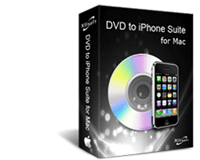
Using Xilisoft DVD to iPhone Converter for Mac - the Mac DVD to iPhone converter, you can rip and convert DVD to iPhone video format, and convert DVD to iPhone audio formats like M4A, WAV and MP3 on your Mac directly. And with Xilisoft iPhone Video Converter for Mac, you can convert all popular video and audio files, such as AVI, MPEG, WMV, MOV, MP4, VOB, AAC, AC3, and MP3, to the iPhone/iPod supported formats including MP4, M4A, MP3, etc.

Xilisoft DVD to iPhone Suite for Mac provides versatile settings and features, for example, you can rip any preferred segment by setting the start and end time, take snapshot in preview process, etc. Just free download Xilisoft DVD to iPhone Suite for Mac and enjoy your favorite video files and DVD movies on your Apple iPhone Players.
Click to enlarge
$70.00 Price: $55.00
Download Xilisoft DVD to iPhone Suite for Mac
Buy Xilisoft DVD to iPhone Suite for Mac

This version is for Apple Mac OS X. If you are using Windows™, please click here.

Main Functions:

  • DVD to iPhone Converter for Mac
    Mac DVD to iPhone ripper. Convert and rip DVD to iPhone video format MP4; Convert and rip DVD to iPhone, iPod, and Apple TV audio formats MP3, M4A, WAV;
  • iPhone Video Converter for Mac
    Convert popular video and audio files, including AVI, MPEG, WMV, MOV, MP4, VOB, AAC, AC3, and MP3, to iPhone/iPod supported videos and audios including MP4, M4A, MP3, etc.

Key Features:

  • Numerous players supported
    The Mac DVD to iPhone ripper software is a professional mp4 conversion tool for iPhone and the converted files can be played on numerous multimedia players;
  • Super high speed
    It supports multithreading and batch conversion with no speed limitation, and the video/DVD to video iPhone conversion speed will be improved with better performance of your Mac;
  • Trim the file to convert
    You can rip any preferred segment by setting the start and end time;
  • Optimized profiles to well fit your iPhone
    There are several optimized profiles provided for iPhone in the software which can be used directly without any further settings. if you want iPhone 320*240 files in normal quality, what you need do is to choose "iPhone MPEG-4(320*240)" profile;
  • Provide advanced settings
    If you are a green apple, you can use the optimized default settings while as an experienced user of Mac DVD to iPhone converter/DVD to iPhone ripper, you can change the advanced settings by yourself like video size, bit rate, frame rate, zoom mode, etc.;
  • Support preview and snapshot
    You can preview the files to be converted and take snapshots when preview;
  • Multiple languages supported
    English, Japanese, and Chinese are provided for users of DVD to iPhone ripper/converter with different mother tongue;
  • Flexible conversion control
    You can pause, stop or continue at any time you like in the conversion process;
  • Edit ID3 tag
    Provide edit function for ID3 tag of MP3 format.

System Requirements:

  • MAC OS X v10.4 or higher operating system;
  • Intel Core Duo processor, POWER G5 processor or above;
  • 512MB RAM;
  • 40MB free hard disk space.

Support for Xilisoft DVD to iPhone Suite for Mac:

New Products Enter

Related Products