
Xilisoft iPhone Video Converter

The best video converter for your iPhone, this software supports nearly all popular video formats such as AVI, MPEG, WMV, DivX, MOV, RM, H.264/AVC and H.265/HEVC to format viewable on your iPhone, iPhone 3G, iPhone 3GS or iPod touch. It also converts audio such as WMA, MP2, OGG, RA, AC3, APE, CDA and even extract audio from videos to convert to MP3, WAV or M4A so you can watch and listen to them on your iPhone.
- Convert videos from WMV, MPEG, AVI, H.265/HEVC to iPhone MPEG-4 format
- Convert various audio files to iPhone MP3, AAC or M4A
- Supports CD decoding
- Convert and transfer music/movies to iPhone in one click
- Support NVIDIA CUDA & ATI Stream technology


Safe Download 100% Virus Free

Secure Online Payment

30 Days Money Back Guarantee

Free Customer Service
Customers Also Choose:
Xilisoft iPhone Magic Platinum
Complete solutions to transfer, backup and manage iPhone/iPad/iPod contents, convert videos and download online videos to iPhone/iPad/iPod.

Xilisoft Video Converter Ultimate
Convert common and HD/3D videos in 160+ formats. Merge, clip, split, add video effects, watermark, subtitle, soundtrack, etc to better enjoy it.

Audio and Video Converter for iPhone 
Quickly convert all popular videos and audios for enjoying on your iPhone 4S/5/5C/5S/SE, iPhone 6/6 Plus, iPhone 6S/6S Plus, iPhone 7/7 Plus, iPhone 8/8 Plus, iPhone X/XR/XR Max/XR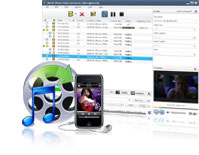
- Convert Videos and Music to Play with iPhone
Supported video file formats: AVI, MPEG, WMV, DivX, MOV, RM, VOB, H.264/AVC, H.265/HEVC.
Supported audio formats: WMA, MP2, OGG, RA, AC3, APE, CDA and more. - Extract Audio from Video
Convert audio such as dialogues or music from a video and convert them into audio file compatible to play with iPhone 3G, iPhone 3GS, iPhone 4, iPhone 5, iPhone 5s, iPhone 5c, iPhone/iPad/iPod, iOS 17. - Transfer the output to iPhone
Transfer outputted videos and audios to iPhone directly after conversion to save time. - Remarkable Performance in Video to iPhone Converting
Empowered with NVIDIA CUDA & ATI Stream technology, Xilisoft iPhone Video Converter brings you the remarkable performance in video to iPhone converting .

Personalize Your Files
Effortlessly fulfill your diverse requirements and get custom iPhone, iPhone 3G, iPhone 3GS, iPhone 4, iPhone 5, iPhone 5s, iPhone 5c, iPhone 6, iPhone 6 Plus files
- Convert One to Several
From one source file, convert several output files with different settings simultaneously; save time and effort! - Convert with Fixed File Properties
Split one file into several files with preset file size or manually adjust according to your preference by setting it with the bit rate calculator. - Convert Any Segment
If you prefer only a certain clip from a video, set the start and end time of the certain clip and then click convert. - Customize ParametersDiverse parameters for video, audio and picture profiles are classied for easy navigation and can be easily and freely customized for satisfying your special needs.

Do More with Less Clicks
Entirely free yourself from fussy and heavy iPhone 4S/5/5C/5S/SE, iPhone 6/6 Plus, iPhone 6S/6S Plus, iPhone 7/7 Plus, iPhone 8/8 Plus, iPhone X/XR/XR Max/XR video conversion tasks
- More Compatibility
Supports not only iPhone 3G/3GS/4, but also all iPod Generations (iPod touch, iPod nano). - Run in Background
Run the software in the background while converting without conflicting other programs or slowing your computer down. - Set Action after Conversion
Leave the converter to do its job; set hibernate, shut down, exit or standby after a conversion is done to avoid waiting. - Preview and snapshotOffers you a built-in player (which is resizable and can be used as a stand-alone player with 4:3 and 16:9 zoom modes) to preview videos and take a snapshot of your desired movie scenes and save them as picture files.
- Power Management
Allows you to manage your system power in this iPhone video converter. - Several LanguagesSupport multiple languages: German, Chinese, English, Japanese, French and Spanish.
| Input File Formats Supported | |
| Video | AVI, MPEG, WMV, MP4, FLV, MKV, H.264/MPEG-4, DivX, XviD, MOV, RM, RMVB, M4V, VOB, ASF, 3GP, 3G2, SWF, H.261, H.264, H.265/HEVC, DV, DIF, MJPG, MJPEG, DVR-MS, NUT, QT, YUV, DAT, MPV, NSV AVCHD Video (*.mts, *.m2ts), H.264/MPEG-4 AVC (*.mp4), H.265/HEVC(*.mkv; *.ts; *.mp4), MPEG2 HD Video (*.mpg; *.mpeg), MPEG-4 TS HD Video (*.ts), MPEG-2 TS HD Video (*.ts), Quick Time HD Video (*.mov), WMV HD Video (*.xwmv), Audio-Video Interleaved HD Video (*.avi) |
| Audio | MP3, WMA, AAC, WAV, CDA, OGG, FLAC, APE, CUE, M4A, RA, RAM, AC3, MP2, AIFF, AU, MPA, SUN AU Format |
| Output File Formats Supported | |
| Video | MPEG, MP4, H.264/MPEG-4, MOV, MPEG-4 |
| Audio | MP3, AAC, WAV, M4A, AIFF |
| Image | BMP, GIF, JPEG, PNG |
| Output Devices Supported | |
| iPad, iPad mini, iPad Air, iPad Pro (12.9/9.7/10.5/11 inch), iPod nano/mini/shuffle/classic/touch, iPhone 3G/3GS/4/5/5S/5C/SE/6/6S/7/8/X/XS/XR/11/12/13/14/15 Series. Android mobile devices: Samsung Galaxy Note II (n7100), Samsung Galaxy S III (i9300), Samsung Galaxy S II (i9100), LG Optimus 4X HD (P880), LG Optimus 2X (P990), HTC DROID DNA (X920), HTC EVO 4G LTE (ONE X), HTC ONE V, Motorola DROID RAZR MAXX HD, Motorola Photon Q ,Sony Xperia TL (LT30), Sony Xperia S (LT26), Sony Xperia P (LT22) Google mobile devices: Google Nexus 4 Windows mobile devices: Nokia Lumia 920, Nokia Lumia 820, HTC Windows Phone 8X, HTC Radar 4G, Samsung Focus S | |
| OS | Microsoft® Windows 11 / 10 / 8 / 7 / Vista / XP (SP2 or later) |
| Processor | 1GHz Intel/AMD processor or above |
| RAM | 256MB RAM (512MB or above recommended) |
| Free Hard Disk | 100MB space for installation |
| Graphics Card | Super VGA (80n0×600) resolution, 16-bit graphics card or higher |


