Xilisoft Mac DVD Toolkit

Xilisoft Mac DVD Toolkit is a DVD suite at discount to assist you to manage DVD and videos, including 4 products on Mac: DVD Ripper for Mac, DVD Creator for Mac, DVD Copy for Mac and Video Converter for Mac. This pack will fulfill all your needs to rip DVD to videos/audios, create DVD from video files, copy to another disc and even convert videos to any video/audio format you want.
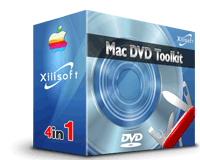
It's an indispensable toolkit to manage and ease your digital tasks on Mac.

$196.00 Price: $119.00
Download Xilisoft Mac DVD Toolkit
Buy Xilisoft Mac DVD Toolkit

Main Functions:

  • DVD Ripper for Mac
    Xilisoft DVD Ripper for Mac is used to rip DVD to video formats like AVI, MPEG, WMV, DivX, RM, MOV, 3GP, 3GP2, MP4, H.264/MPEG-4 AVC, etc., as well as rip DVD to audio formats including MP3, WMA, WAV, M4A(AAC), AC3, OGG, RA, AU, etc.
  • Video Converter for Mac
    Xilisoft Video Converter for Mac is capable of converting between video formats like AVI, MPEG1/2/4, WMV, MOV, 3GP, ASF, MP4, etc, and converting from video to audio such as MP2, MP3, WMA, WAV, M4A, AAC, AC3, OGG, as well as converting between these audio formats.
  • DVD Copy for Mac
    Xilisoft DVD Copy for Mac is designed to copy and burn DVD for Mac with the entire movie in 1:1 ratio perfectly to copy DVD-5 to DVD-5, DVD-9 to DVD-9, and DVD-5 to DVD-9, and compress DVD-9 (dual-layer DVD) to one DVD-5 disc easily.
  • DVD Creator for Mac
    Xilisoft DVD Creator for Mac can easily and speedily convert AVI to DVD, DivX to DVD, WMV to DVD, and MPEG to DVD, and burn DVD folder to DVD and DVD ISO file to DVD for Mac.

Key Features:

  • So many formats supported
    Rip DVD to almost all video and audio formats such as DVD to AVI, MPEG, DivX, MP3, and WMA; create AVI to DVD, DivX, and MPEG to DVD; convert video to AVI, ASF, WMV, MP3, and WWM video/audio formats; copy DVD-5 to DVD-5, DVD-9 to DVD-9, DVD-5 to DVD-9, and DVD-9 to DVD-5;
  • Support preview and snapshot
    DVD ripper, DVD creator and video converter support file preview and you can take snapshot of the preview file as you need;
  • Trim video function
    You can trim the source DVD or video file to rip or convert the exact segment you want by using 4Meida DVD Ripper for Mac and 4Media Video Converter for Mac;
  • Rip DVD video and audio at will
    Using 4Meida DVD Ripper for Mac, you can select audio track and subtitle, adjust target subtitle’s position when ripping DVD to video, and edit ID3 tag music info when ripping DVD to MP3 or WMA;
  • Create DVD disc with menu
    4Meida DVD Creator for Mac provides many pretty menu templates to assist you to create DVD with menu and allows you to edit menu by selecting background music and picture, as well as specifying menu topic;
  • Copy customized DVD
    4Meida DVD Copy for Mac allows you to select subtitles or audio tracks to create customized DVD copy, remove DVD menus optionally, and copy DVD with main movie separately;
  • Convert video to fit various devices with ease
    There are several optimized profiles for iPod, iPod touch, Apple TV, Zune, PSP, PS3, BlackBerry mobile phone, etc., with different quality in 4Media Video Converter which can be used directly without any further settings;
  • Multiple languages provided
    This toolkit provides English, Japanese, German, and Chinese for people with different mother-tongue;
  • Super high speed 
    Conversion speed is no limitation and will be improved with better performance of your Mac.

System Requirements:

  • MAC OS X v10.4 or higher operating system;
  • Intel Core Duo processor, POWER G5 processor or above;
  • 512MB RAM;
  • 120MB free hard disk space for installation; 20GB free hard disk space for temporary files;
  • DVD-R, DVD-RW, DVD+R, DVD+RW, DVD+R DL, DVD-RAM.

Support forXilisoft Mac DVD Toolkit:

New Products Enter

Related Products

Related Links