
Xilisoft Video Editor
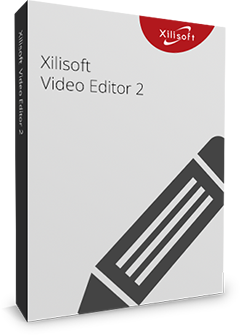
Help you to make creative video. Make your work a precious art!
- Combination of three useful functions: cut, join, split.
- Cut off the video segments as you like.
- Join multiple videos and combine them into one.
- Split one video into several segments.
- Edit video files in different formats to play on devices.

Safe Download 100% Virus Free

Secure Online Payment

30 Days Money Back Guarantee

Free Customer Service
Safe Download 100% Virus Free
Secure Online Payment
30 Days Money Back Guarantee
Free Customer Service
Safe Download 100% Virus Free
Secure Online Payment
30 Days Money Back Guarantee
Free Customer Service
Customers Also Choose:
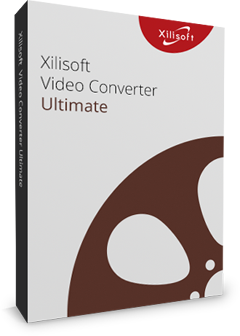
Xilisoft Video Converter Ultimate
Convert common and HD/3D videos in 160+ formats. Merge, clip, split, add video effects, watermark, subtitle, soundtrack, etc to better enjoy it.
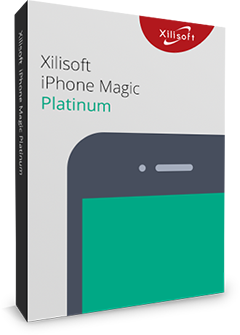
Xilisoft iPhone Magic Platinum
Complete solutions to transfer, backup and manage iPhone/iPad/iPod contents, convert videos and download online videos to iPhone/iPad/iPod.
Versatile Video Editing Tool
Simple operations create perfect works. As a video joiner, splitter and cutter, Xilisoft Video Editor makes it easy to turn original videos into works of art.

Useful Video Cutter
This video editor is able to quickly select the unwanted segments and cut them off at one step.

Practical Video Joiner
You can join many videos in different formats at one time and the format of output file will be one of the input formats.

Flexible Video Splitter
Split manually by dragging the slider to locate the split point. Or split automatically by setting split time or file size, or averagely.

Optimized Output Profiles
The optimized output profiles make sure you can convert videos to suitable formats for playing them on iPhone, iPad, iPod clearly and smoothly.
Handy Video Editing Settings
Detailed settings inspire the creativity. Detailed serves will make your video editing process accurately at fast speed and better quality.

Cut Videos
Cut videos just by sliding with the mouse pointer and set the start and end point.

Join Fragments
Easily join the separated clips into an integral video.

Join without Limitation
You can join many videos in different formats at one time and the format of output file will be one of the input formats.

Fade in/out Effect
Users can choose whether to add the fade in/out effect to videos by their own wills.

Split Automatically
Users can set the split time, file size and average segments, and then it can finish the split task automatically.

Split Manually
Manually split the video by dragging the slider to locate the split point for getting the exact you need.

Output Video in Different Formats
This software can help users to convert their works to any needed formats with ease.

Optimized Output Profiles
It provides optimized conversion profiles classified by device types, which is easy for you to convert videos to suitable formats for playable on devices like iPhone, iPad, Galaxy, etc.
Tech Specs

- H.264
- MPEG-4 AVC
- MP4
- MPEG4
- VP8
- WEBM
- MKV
- FLV
- MOV
- AVI
- WMV
- DivX
- XviD
- M4V
- MPEG
- MPG
- AVCHD
- MTS
- M2TS
- TS
- MOD
- VOB
- ASF
- 3GP
- RM
- RMVB
- 3GP2
- SWF
- H.261
- H.263
- DAT
- DV
- DIF
- MJPG
- MJPEG
- MPV
- DVR-MS
- NUT
- QT
- YUV
- NSV
- H.264
- MPEG-4 AVC
- MP4
- MPEG4
- VP8
- WEBM
- MKV
- FLV
- MOV
- AVI
- WMV
- DivX
- XviD
- M4V
- MPEG
- MPG
- AVCHD
- MTS
- M2TS
- TS
- VOB
- ASF
- 3GP
- RM
- RMVB
- SWF
- H.263
- DV
- MJPG

- iPhone 5s
- iPhone 5
- iPhone 4S
- iPhone 4
- iPhone 3GS
- iPhone 3G
- iPad 4
- iPad mini
- New iPad
- iPad 2
- Apple TV
- iPod touch 5
- iPod touch 4
- iPod nano 7
- iPod shuffle
- iPod classic

- Samsung Galaxy
- Samsung Galaxy Note
- Kindle
- Google Nexus
- LG G2
- HTC ONE X
- HTC ONE V
- Motorola DROID RAZR MAXX HD
- Motorola Photon Q
- LG Optimus 4X HD
- LG Optimus 2X
- Sony Xperia TL
- Sony Xperia S
- Sony Xperia P

- HTC Surround
- HTC 7 Mozart
- HTC 7 Trophy
- HTC HD7
- HTC 7 Pro
- HTC Windows Phone 8X
- HTC Radar 4G
- LG Optimus 7
- Nokia Lumia 920
- Nokia Lumia 820
- LG Quantum/Optimus 7Q
- Dell Venue Pro
- Samsung Focus S
- Samsung Focus
- Samsung Omnia 7
- BlackBerry
- Dell Axim X51
- HP iPaq hw6500 series

- PSP
- PS3
- Xbox
- Xbox 360


